Speech Bubble Generator
Speech bubble generator: add a hand-drawn comic speech balloon with your own words to a photo or video, then save it as PNG, GIF or MP4. Free, in your browser.
What is a speech bubble?
A speech bubble, or speech balloon, is the outline that holds a character's words in a comic, with a tail pointing at whoever's speaking. American newspaper comic strips made it standard around 1900, and lettering has kept its conventions ever since. A thought balloon trails small circles instead of a tail, and a whisper gets a dashed line.
This generator draws the plain talking kind by hand, as an outline you place over your own picture with your words inside.
How to add a speech bubble to a photo
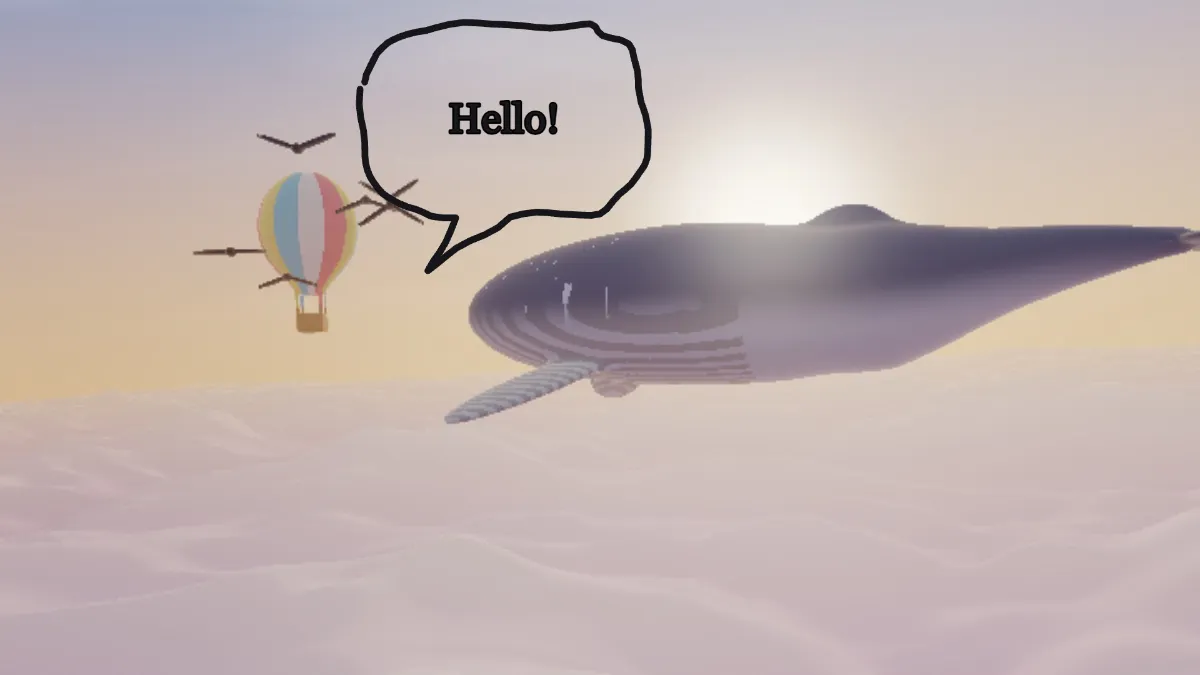
Load the photo or clip that needs a bubble. The page opens with a near-black bubble up and to the left of center, Hello! inside it and its tail pointing down to the left. It's made by two effects: Doodle draws the bubble and Caption writes the text.
Type your words into the Caption's Text (up to 120 characters) and pick a Font.
Each effect has its own Position X and Position Y, so move both to keep the text inside the bubble. In Doodle, Colour sets the line color, Line its thickness and Wobble how shaky the hand is. Turn rotates the whole bubble, tail included.
Positions that aim the tail and center the words
The tail's tip sits 0.46 times the Doodle's Size below its position, and a little to the left. To aim it at a mouth at X and Y, set the Doodle's Position Y to Y minus 0.46 times Size, and its Position X to X plus 0.26 times Size times the frame's height divided by its width.
The balloon's middle sits slightly above the Doodle's position. So give the Caption the same Position X and a Position Y that's lower by 0.05 times the Doodle's Size. The page's own Hello! follows that rule.
For a comic look, pick Balsamiq Sans (hand-drawn) as the Font and leave Wobble at 0.5. Set Redraw to 6 and the outline jitters six times a second, which turns a still photo into a GIF that looks drawn by hand.
Can the tail point to the right?
Doodle can't mirror the Speech bubble mark, and its tail always leaves from the lower left of the balloon. Turn rotates the balloon and tail together around the Doodle's position, while the Caption's text stays level.
At a Turn of -30 the tail points straight down, its tip 0.53 times the Size below the position, and the balloon leans 30 degrees to the left. Aiming down and to the right takes a Turn of about -60, and by then the balloon is standing on end, taller than it is wide.
So when the speaker is to the right of where the words should go, move the balloon instead. Put it above and to the right of whoever's talking and the tail, as drawn, already points at them.
Why do my words spill out of the bubble?
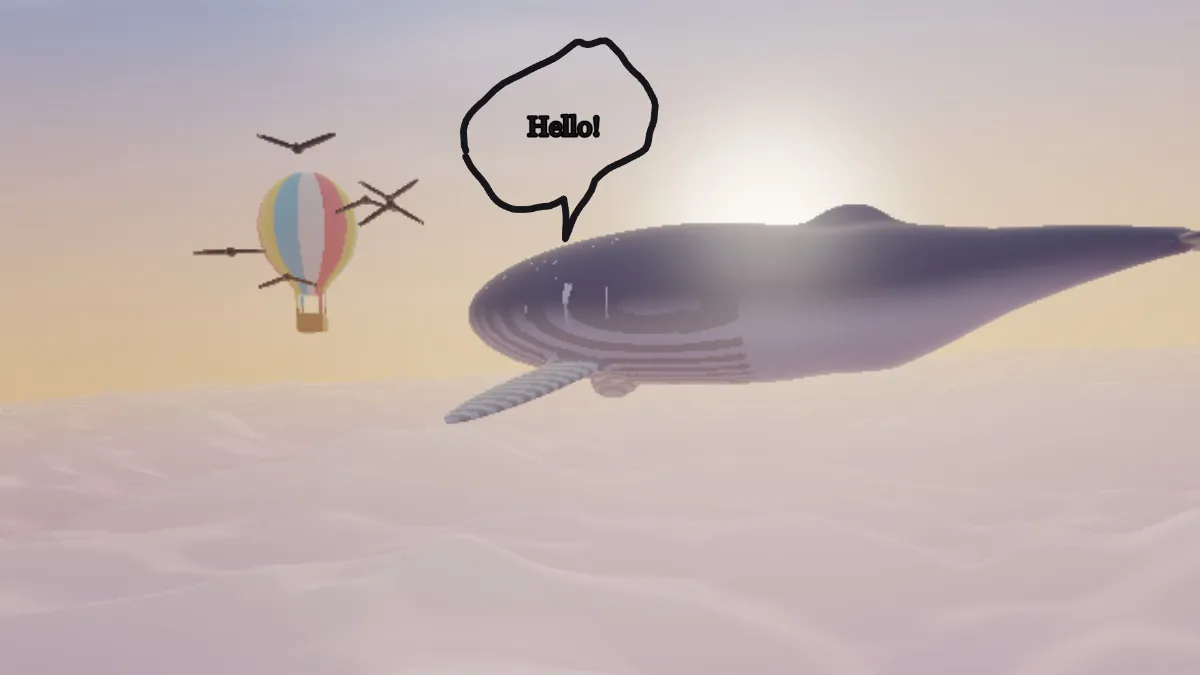
The Caption has no idea the bubble is there. It only wraps at 92% of the frame's width, which is far wider than the balloon, so a long line runs right through the outline.
Keep the Caption's Size around an eighth of the Doodle's Size, so about 0.06 for the bubble the page opens with, and stick to a few words per bubble. If you need more words, raise the Doodle's Size and the Caption's together.
Do I need a speech bubble or a chat bubble?
A speech bubble belongs in a comic or a meme, with its tail pointing at someone in the picture. For a conversation laid out like a phone's messages, with theirs on the left and yours on the right, the Chat Bubble Generator is the better pick.
Doodle's Mark select draws other marks in the same hand-drawn line too, like Arrow, Circle, Underline, Star and Heart, for pointing things out in the picture.
Saving a speech bubble
Save a still bubble as PNG, which keeps the thin outline crisp. The outline has no fill, so on a busy photo tick the Caption's Plate to give the words a box of their own. With Redraw above 0, a GIF of any length loops with no visible seam, since every redraw is already a jump to a new line.