Comment Mockup Generator
Comment mockup generator: a name, an initial avatar, your text, and Like and Reply links on a light or dark card. Drawn in your browser, nothing uploaded.
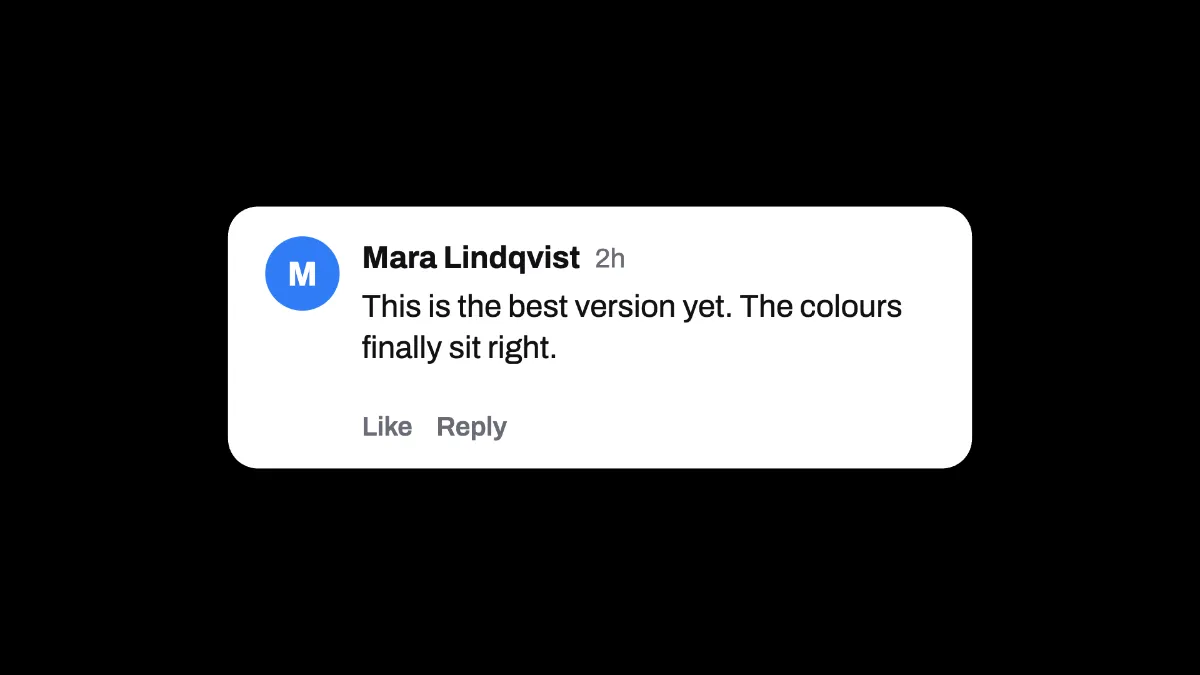
What does a comment mockup show?
A comment is the short reply under a post, a video or an article, the web's version of the letter to the editor. Most comments sections lay one out the same way: a round avatar, the name in bold, a timestamp, the text, and links to like or reply.
This comment mockup generator draws that card with no site's branding, so it reads as a comment without pointing at any one platform.
How to mock up a comment
Start on the blank canvas, or load the picture or video you want the comment on. Type the commenter's name into Title and the comment itself into Text. A long comment wraps onto more lines and the card grows to fit.
Theme picks a white or near-black card. Accent colors the avatar circle, which shows the name's first letter in white. Size sets the card's width as a share of the frame, and Position X and Position Y place it.
Which parts of the comment card are fixed?
The timestamp always says 2h, and the links under the text always say Like and Reply. The name, the text, the theme and the avatar color are up to you, with up to 60 characters for the name and 240 for the comment.
The card has rounded corners and a soft shadow, and every line is set in Archivo.
Settings for a viewer's question, a testimonial and a vertical clip
To open a video on a viewer's question, load the clip, set Size to 0.55 and Position Y to 0.22 so the card sits in the upper part of a 16:9 frame. The comment's text is 4.2% of the card's width, which is about 44 pixels there.
For a testimonial on a slide, put the customer's name in Title, keep Theme Light and set Accent to your brand color. The avatar circle picks it up, with a white initial. At Size 0.8 the quote becomes the slide's headline.
A vertical 1080 by 1920 frame narrows the card, because its width follows the frame's. Raise Size to about 0.92 to keep the text near 42 pixels; 0.62 would leave it at 28. If you also want a notification banner for the same story, use the Notification Mockup Generator.
Saving a comment card
PNG keeps the small gray 2h and the Like and Reply links legible, and JPG smudges them at this size. Over a clip the card stays still from start to finish, so export MP4 and trim the clip to the moment the comment belongs to.