Text Art Generators
Three generators that redraw a photo or video in type. Each one reads the picture's brightness cell by cell and chooses a character for it, so a portrait becomes a block of letters, a field of braille dots or a curtain of falling code.
They're handy when a picture has to live as plain text in a chat or a README, or when a title or music video needs the look. It all runs in your browser and nothing gets uploaded.
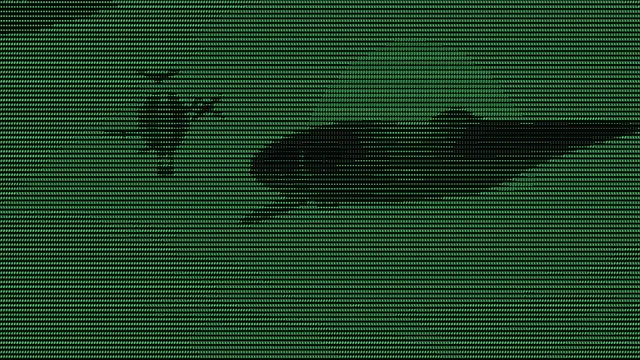
ASCII Art Generator
Pick it when the result must paste as plain characters into a terminal, a code comment or a README.
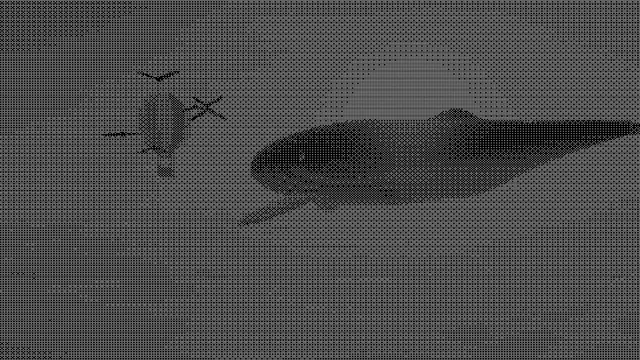
Braille Art Generator
Choose it for the most detail per character, as text short enough for a chat message or a bio.
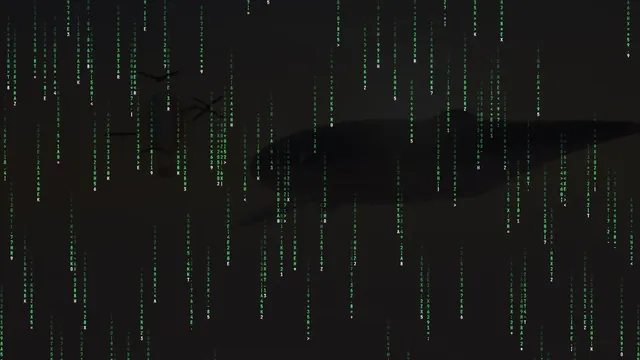
Matrix Rain Effect
The animated one: falling green code over a clip or a photo, made for video, with no text to copy.
What is text art?
Text art is a picture made from the characters of a typeface. Typists were drawing with typewriter keys long before computers. In 1967 Leon Harmon and Ken Knowlton at Bell Labs turned a scanned photograph into a mural of typographic symbols called Studies in Perception I. Later, ASCII art spread through email, Usenet and bulletin boards, where ANSI escape codes added color.
Whatever the form, each character inks a different share of its cell, so a dense one like @ reads dark and a period reads light. Set those in a fixed-width font, where every character takes the same space, and the rows line up into a grid of tones.
What do people mean by a text art generator?
It means four different things, judging by what ranked for the search on 21 October 2026. There are converters that redraw a photo in characters, banner makers that set a typed word in big character-built letters, canvases for drawing with characters by hand, and libraries of finished pictures to copy. One person on a typography forum used the same words for lettering with outlines and gradients.
The ones here are converters, and each needs a picture or video to start from. You can still get a banner out of them if the picture is of your word. For lettering with outlines, a glow or a 3D side, head to the Text Effects hub.
Which text art generator should you use?
ASCII Art Generator is the classic: printable characters in a fixed-width grid, with ready-made sets from a 70-character ramp to Blocks and Binary, or whatever characters you type. Reach for it for a terminal or a code comment.
Braille Art Generator draws with Unicode braille patterns, which fit eight dots into one character. You get more detail at the same width, so it's the one to paste into chats and bios where space is tight.
Matrix Rain Effect is the animated option. Columns of digits and symbols fall down the frame and glow brighter where the picture is bright, in the green of the 1999 film The Matrix or any color you pick. It's built for video and loops, and there's no text to copy.
How does braille art hold more detail than ASCII art?
Unicode's Braille Patterns block, U+2800 to U+28FF, contains all 256 combinations of an eight-dot cell that's two dots wide and four tall. Every dot can stand for one pixel, on or off, so a single character carries eight points of the picture. An ASCII character carries one shade.
There are no grays in the dots, so the generator spreads mid-tones with a fine ordered dither. In the ASCII effect this is the Braille style, and it shares Size, Contrast, Invert and the colors with the character style.
Can you copy text art as text?
Yes, from the ASCII and braille generators. Under Copy as, Text gives you plain lines, ANSI adds 24-bit color codes for a terminal, and Markdown wraps the lines in a code block for a README or any chat that formats code. With a video, you copy the frame that's on screen.
Pasted text art only lines up in a fixed-width font. If a chat sets messages in a proportional font, the Markdown option's code block keeps the columns straight.
Why does braille art keep its shape in a chat?
All braille patterns are the same width, even in fonts where the letters aren't. We measured on a Mac in Helvetica, Arial and Georgia: all 256 patterns came out 0.684 of the font size wide, while printable ASCII characters ranged from 0.19 to 1.02, with an @ more than four times as wide as an i. Outside a code block, an ASCII picture's rows end up different lengths and the picture shears. Braille rows stay even.
The blank cell helps too. The braille generator fills empty areas with U+2800, the blank braille pattern, and Unicode files that as a symbol, not a space, so web pages don't squash runs of it together like they do with spaces. The two kinds don't mix in a fixed-width font, though. Menlo gives every ASCII character 0.602 of the font size and braille 0.684, so keep a braille picture braille all the way through.
How to make text art from a video
All the generators here work on video. The picture gets redrawn in characters every frame, so a clip turns into moving type. In the Matrix rain, Seed fixes where each stream starts, so the export matches the preview.
Characters need more room in a moving file than in a still. GIFs are at most 960 pixels on the long side, so turn up Size before you record one, braille most of all, because each of its dots is a small fraction of the cell.