Chat Bubble Generator
Make chat bubbles, the speech bubbles of a text message: type a conversation, theirs on the left and yours on the right, over a photo, video or blank canvas.
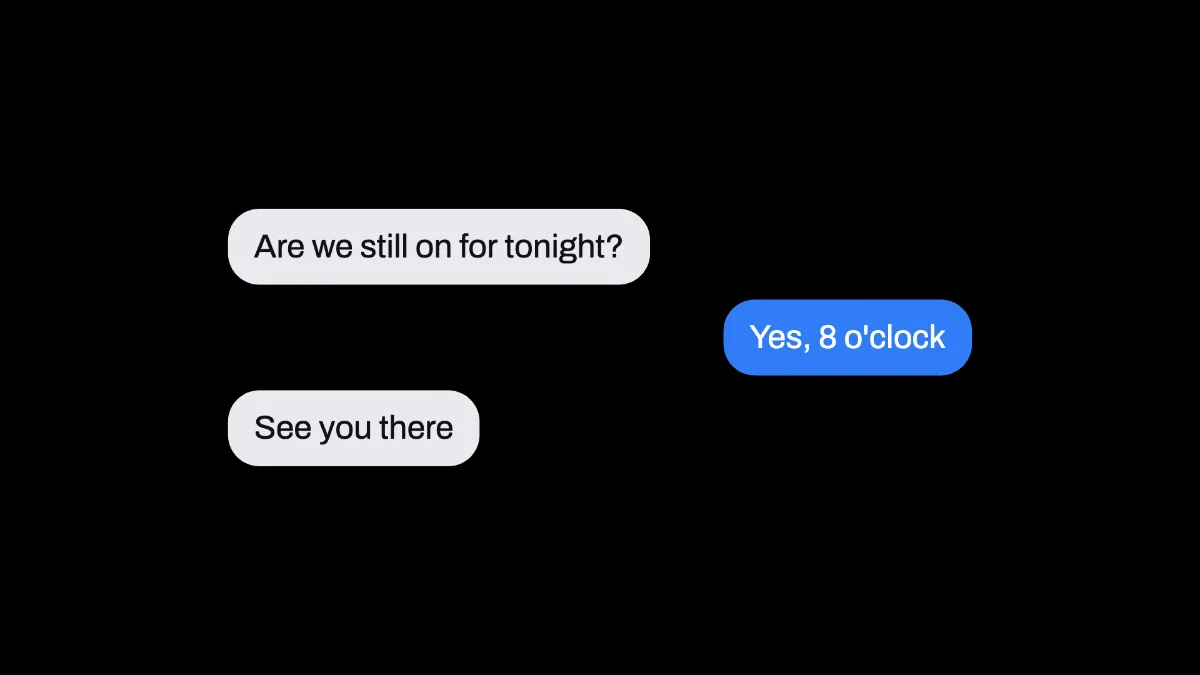
What is a chat bubble?
A chat bubble is the rounded box that holds one message in an on-screen conversation. Messaging apps all settled on the same layout: the other person's messages on the left in a neutral gray, and yours on the right in a color.
This generator draws a short conversation in that layout as a picture, without a phone frame or app around it, so you can drop it onto a slide, a storyboard or a video.
Is a chat bubble the same as a speech bubble?
They're related. The speech bubble of comics, or speech balloon, is an outline around a character's words with a tail pointing at the speaker, and American newspaper comic strips made it standard around 1900. Apple's iChat, previewed in 2002, showed each message in a dialogue bubble, and that's the look most text message apps still use.
These bubbles don't have tails. The side a bubble sits on tells you who's talking, the same as in a phone's message thread. If you want a comic balloon with a tail over a photo, the Speech Bubble Generator draws one by hand with your words inside.
A lot of search results for a chat bubble generator are really tools for a reaction meme, where a white speech bubble runs across the top of a picture with its tail aimed at someone in it. That meme uses the comic kind of bubble, which the Speech Bubble Generator draws as an outline with no fill.
How do I make a text message bubble?
Start on the blank canvas, which is a black 1080p frame, or load your own image or video. Type the conversation into Text with a | between messages. The first one is theirs, the next is yours, and they keep taking turns from there.
Theme picks light or dark gray for their side, and Accent sets the color of yours. A blue Accent on the Light theme gives you an iMessage-style thread. Size sets how wide the conversation is as a share of the frame, and Position X and Position Y move it around.
Each bubble is as wide as its longest line, and a long message wraps onto more lines instead of stretching across the frame. The conversation is centered on its position, so it grows evenly up and down as you add messages. Text holds up to 240 characters.
The turns are strict. An empty part between two | marks gets skipped, so one side can't send two messages in a row, and both sentences have to share one bubble. And with no names or avatars on the bubbles, there's no way to show a group chat of three or more people.
Sizes for a vertical story and a 16:9 explainer
For a 9:16 story or short video, open the gear beside Mosh, choose 9:16 and type 1080 as the Width. Set Size to 0.9. The type is drawn at 4.4% of the conversation's width, which is about 43 pixels on that frame and easy to read on a phone.
For a 16:9 explainer, keep the 1920 by 1080 canvas, set Size to 0.5 and Position X to 0.28. The thread fills the left half and leaves the right side for a face or a screen recording, with type about 42 pixels high.
Theme Dark gives their side a charcoal bubble with white text, which works for a thread over a dark video or a night scene.
Which Accent colors keep your messages readable?
Your messages are always white text on the Accent color, so the Accent has to be dark enough to carry white. Measured with the WCAG contrast formula, the default blue, #2f7cf6, reaches 3.9 to 1. That's past the 3 to 1 asked of large text but short of the 4.5 to 1 for body text. One shade darker, #2a72e3, passes both.
Bright hues fall further short. A green like #34c759 and an orange like #ff9500 both only manage 2.2 to 1, and yellow does worse. Mixed toward black in OKLab, the first green to reach 4.5 to 1 is #20873a and the first orange is #ae6400, which already looks brown. So an orange side only works at the large sizes above.
Their side never runs into this. Near-black text on the Light theme's gray measures 15.6 to 1, and near-white text on the Dark theme's charcoal 12.4 to 1. You can check any other pair on the Color Tools hub before you export.
Saving the conversation
Text on flat bubbles is exactly what PNG is good at, with sharp letter edges and a small file. JPG leaves a haze around each letter. Over a video the bubbles stay put for the whole clip, so use MP4 there.