Mug Mockup Generator
Mug mockup generator: wrap a logo or artwork round a plain glazed mug, pick its color and the inside, then save a PNG or a GIF. Free, and nothing gets uploaded.
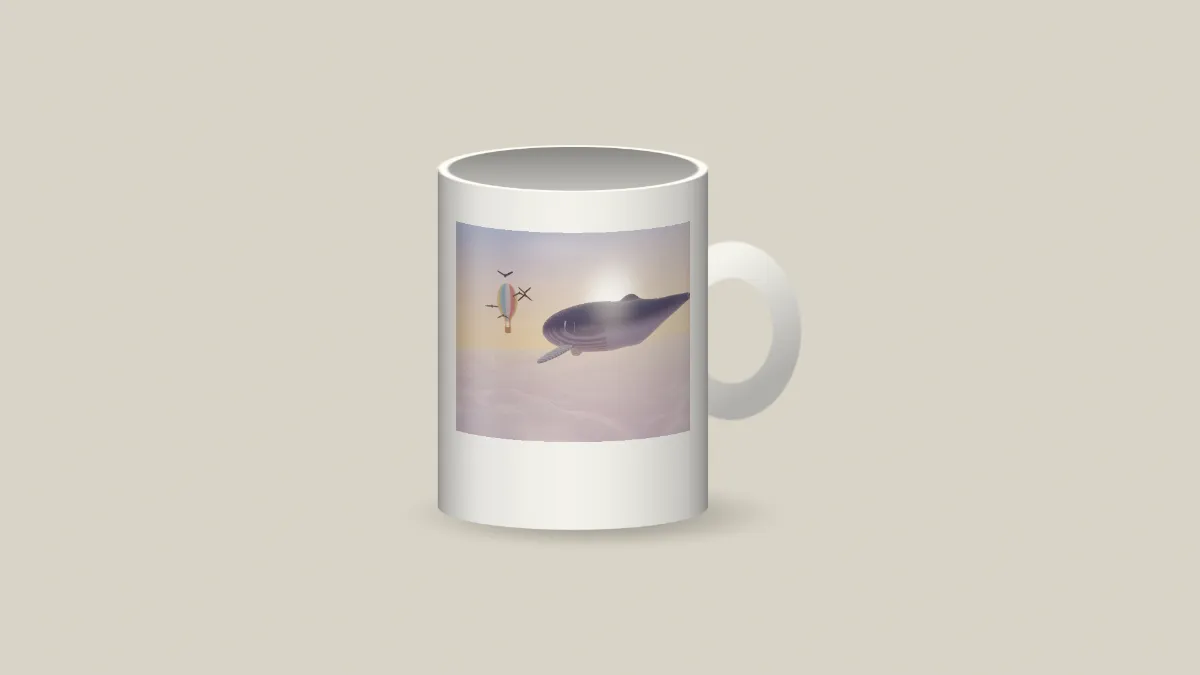
What is a mug mockup?
A mug mockup shows your artwork on a mug before it goes to print. Custom mugs are often decorated by dye sublimation, where the design is printed on heat-resistant transfer paper and then pressed onto a coated mug with heat.
The mug is drawn by a shader in your browser, not photographed. It's a straight-sided mug seen from the front with the handle to the right and no brand on it. There's no stock photo underneath, so there's nothing to license.
How does the print follow the curve of the mug?
The design is mapped by angle around the mug instead of being pasted flat on top. It narrows toward the sides as the surface turns away, the way a real wrap does, and the shading darkens along with it.
The print bends with the ovals of the rim and foot too, so its top and bottom edges curve like the mug's own rings. A long highlight runs down the left side of the glaze, with a fainter one down the right.
How to make a mug mockup
Upload your artwork or a video and start from a preset: White mug, Black mug, Two tone, Full wrap or Cut out. Mug sets the outside color, and Inside colors the inside and the handle.
Print width sets how far around the front the design reaches, and Print height how much of the mug's height it covers. Gloss controls how shiny the glaze is, and Shadow how dark the shadow under the mug gets.
Backdrop is the color behind the mug. Tick No backdrop if you'd rather leave it transparent.
Print width and Print height that keep a picture's shape
Unless the two sliders are in proportion, they'll stretch a picture sideways. To keep the middle of the print true to shape, set Print width to 0.86 times your picture's width divided by its height, times Print height.
So a square logo needs Print height 0.6 and Print width 0.52. The defaults, 0.72 and 0.62, are right for a 4:3 picture. The Full wrap preset suits one of about 1.3 to 1, and a 2:1 panorama takes Print width 1 with Print height 0.58.
The print narrows toward the sides as the mug turns away, so only the middle follows the formula. If you want the same artwork on cloth, the T-Shirt Mockup Generator keeps a picture's shape without any arithmetic.
Why does my sublimation template look squeezed on the mug?
A sublimation template wraps all the way around the mug, but this mockup puts your whole picture on the side facing you. At Print width 1 that side is about 166 degrees of the circle, which is less than half.
Crop the template down to the stretch you want facing the viewer, a little under half its width, and load that crop.
Saving a mug mockup
The glaze's highlight is a soft gradient, so a GIF of a mug shows it in steps. Use PNG or WebP for a still and MP4 when the print is a video. The Cut out preset saved as PNG gives you the mug on its own, ready for a product page of any color.