Hoodie Mockup Generator
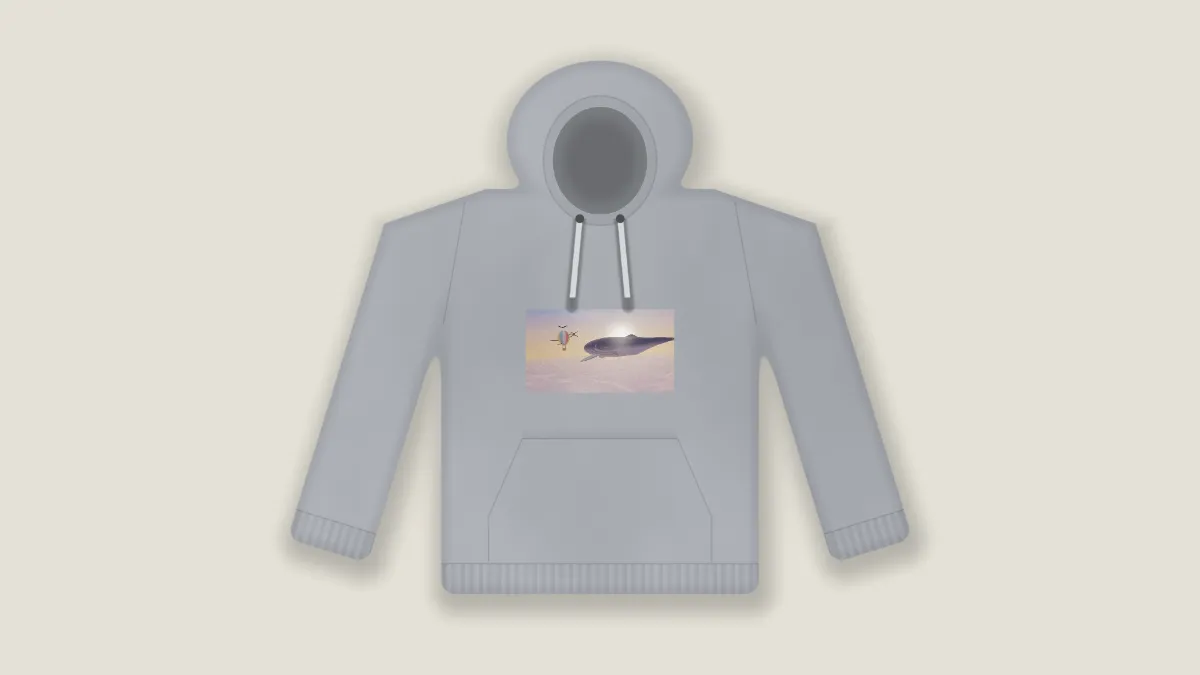
Hoodie mockup generator: put a design on the chest of a flat-lay hoodie with hood, drawstrings and pocket, in any color. Drawn in code, no photo license needed.
What is a hoodie mockup?
A hoodie mockup is a picture of your print on a hoodie that hasn't been made yet. It's what a merch store, a band or a print-on-demand seller puts on a listing so buyers can see the design in place.
This one is a pullover laid flat and seen from above: the hood at the top with its opening showing the shaded inside, drawstrings from two eyelets, sleeves down the sides, a front pocket and ribbed bands at the waist and wrists. It's drawn by a shader rather than built on a photo, so it carries no logo and there's no license to buy.
How to make a hoodie mockup
Upload your design and choose a preset to start: Grey hoodie, Black hoodie, Cream, Small print or Cut out. The Hoodie color sets the cloth, and Backdrop sets the surface underneath.
Print size is the design's width as a share of the frame's height, and Print height slides it down the chest. Fabric decides how much of the cloth's folds and weave show through the ink, and Shadow sets how dark the hoodie's shadow is. Tick No backdrop, as the Cut out preset does, and you get the hoodie alone on a transparent background.
Where should the print sit on a hoodie?
Higher and smaller than on a tee, because the pocket takes the lower half of the front. The hoodie's body is about 0.47 of the frame's height across. The default Print size of 0.22 fills a bit under half of that. With a square design at that size, the drawstrings hang over the top of the print, the way they would on a real one.
To fit a square design between the strings and the pocket, set Print size to 0.15 and Print height to 0.05. For a small chest logo, the Small print preset uses 0.1 and 0.01. The print always stays on the center line, so a logo off to one side isn't possible here.
Why can't I see my design on the black hoodie?
The print is laid on like ink, in its own colors. A black or dark navy logo on the Black hoodie preset is dark on dark, the same as it would be in real life. Use a white or light version of the design, which is also what a print shop would ask you for.
For a logo with a transparent background, save it as a PNG first. The transparent parts let the cloth show through, and only the logo is printed.
Getting the whole hoodie in the frame
The hoodie is drawn at a set size, close to as wide as the frame is tall, and the frame takes the shape of your design. A portrait-shaped design makes a narrow frame and cuts off the sleeves. Switch the frame to 1:1 or 4:3 in the Settings gear next to Mosh and the whole hoodie fits, with your design kept to its own shape.
If you sell the same design on other pieces, the T-Shirt Mockup Generator and the Tote Bag Mockup Generator take the same file with the same sliders, so a set of listing photos stays consistent.