Split Image
Image splitter: cut a picture into up to 10 by 10 tiles, like a 3 × 3 Instagram grid or a 3 × 1 panorama, and get every tile in one zip. Free, no upload.
What is an image splitter?
An image splitter cuts one picture into a grid of smaller ones. Post the tiles in order and they fill rows of a social profile and read as one big picture. Put them side by side in one carousel post and you get a panorama that moves along as people swipe.
A photo splitter is handy away from social media too. A poster that's too big for your printer can be printed tile by tile and taped together.
How to split a photo into a grid
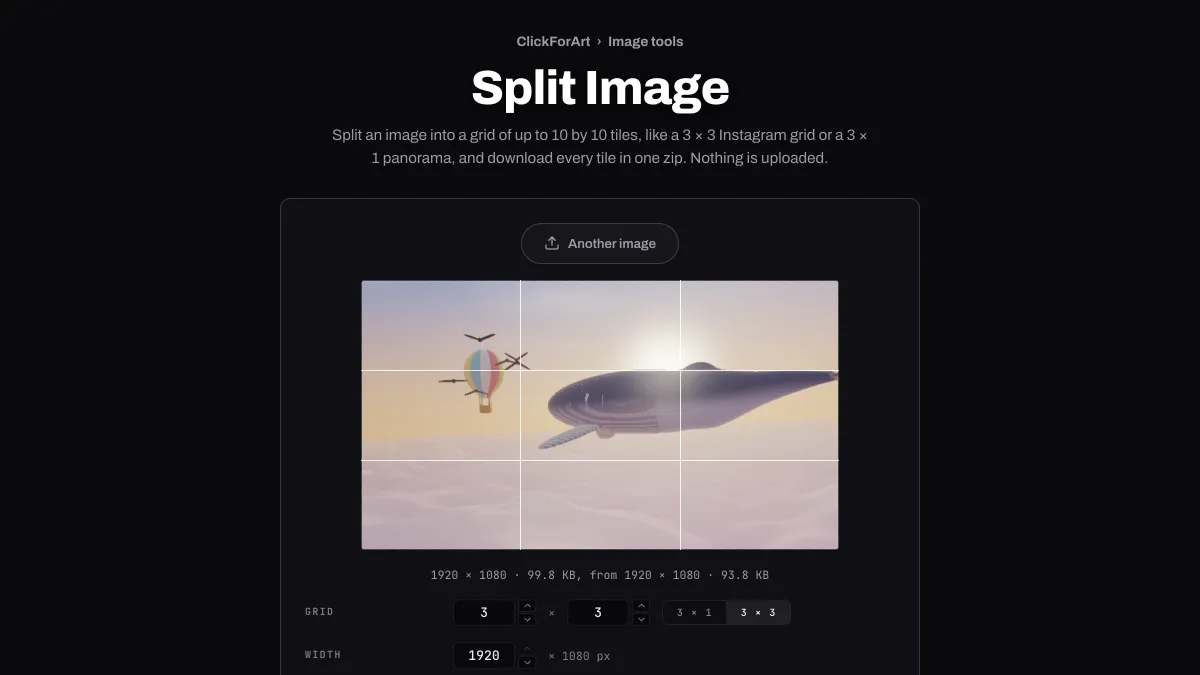
Lines on the preview show where the picture will be cut. Set the columns and rows under Grid, from 1 to 10 each, or press 3 × 1 for a panorama or 3 × 3 for a square grid.
Width sets the size of the whole picture before it's cut. Format gives you PNG, JPG or WebP, plus AVIF where your browser can write it, with a Quality slider for the lossy ones. Download tiles saves a zip with one file per tile, numbered left to right and top to bottom: photo-1.jpg to photo-9.jpg for a 3 × 3 grid, then photo-01 onward once there are ten tiles or more.
Settings for an Instagram profile grid, a carousel panorama and a Slack emoji mosaic
Instagram profile grid: since January 2025 the grid has shown each post as a 3:4 rectangle, so square tiles don't meet edge to edge there anymore. Crop the picture to 9:16 with Crop Image, then split it into 3 columns and 4 rows. A third of 9 against a quarter of 16 gives tiles of exactly 3:4, twelve posts in all.
Carousel panorama: each tile of a 3 × 1 split is a third of the width at full height, so for square tiles you need a picture three times as wide as it is tall. Drag that box with Free on the crop page, watching the size line under the preview until the width is three times the height. Then split it here.
Slack emoji mosaic: crop to 1:1, set Width to 384 and split 3 × 3 for nine tiles of 128 × 128. Upload each one as its own emoji and type them out in three rows. Slack recommends square images under 128 KB, and PNG tiles that small meet that easily.
Does splitting an image lower its quality?
No more than saving it once does. The tiles are cut from the drawn picture pixel for pixel and each one is compressed a single time. Nine JPG tiles of a 2048 × 1152 photo at Quality 92 added up to 447.8 KB, against 448.8 KB for the whole picture in one file. The zip stores each tile as it is, with no second round of compression.
Each cut falls on the whole pixel nearest its share of the picture. A picture 100 px wide in three columns gives tiles 33, 34 and 33 px wide. No pixel gets lost or used twice, and no two tiles differ by more than a pixel.
The size limit can cost some detail. The whole picture stops at 2048 px on its long side before it's cut, so a square split 3 × 3 gives tiles of 682 or 683 px. And a Width below the picture's own shrinks every tile along with it.
Can you print a poster from the tiles?
Yes, though it won't be very sharp. For a picture shaped like the sheets, the 2048 px limit gives each sheet of a 2 × 2 poster on A4 paper 724 × 1024 px, about 88 pixels per inch. Each sheet of a 3 × 3 poster gets 483 × 683 px, about 58. The same file printed on a single A4 sheet has 175 per inch, and US Letter sheets come out a little higher, 93 per inch in a 2 × 2.
The tiles don't overlap, and most desktop printers leave a blank margin. So print every tile with the same fit-to-page setting, trim each margin off up to the edge of the picture, and butt the sheets together.
In what order do you post an Instagram grid?
Instagram puts the newest post first, at the top left of a profile, so post the tiles in reverse: highest number first, tile 1 last. A 3 × 1 panorama goes into one carousel post in the order the files are numbered.
The whole picture is capped at 2048 px on its long side before it's cut. A 9:16 picture split 3 × 4 gives tiles of 384 × 512, which is enough for the grid but looks soft when someone opens a post full size.
Which format suits the tiles?
Photo tiles save well as JPG at Quality 85 to 92. Tiles of flat color, text or a transparent background, like an emoji mosaic, should stay PNG. JPG would blur their edges and fill in the clear parts.