Image Converter
Image converter for PNG, JPG and WebP, plus AVIF where your browser can write it: turn a PNG to JPG or a WebP to PNG on your device, with nothing uploaded.
What is the difference between PNG, JPG and WebP?
PNG is lossless. It compresses with DEFLATE and keeps every pixel exactly, transparency included, which makes it good for screenshots, logos and line art. JPEG, standardized in 1992, is lossy and has no transparency. It throws away the detail your eye is least likely to miss, and that makes photos a lot smaller.
WebP, which Google released in 2010, handles both lossy and lossless compression and keeps an alpha channel. AVIF stores a still image with the AV1 video codec and often comes out smaller still, though not every browser can write it yet.
How to convert an image to another format
The tool picks a target that's different from your original: a PNG opens set to JPG, and anything else opens set to PNG. You can choose another under Format. It checks on load what your browser can write, so AVIF only shows up where it works.
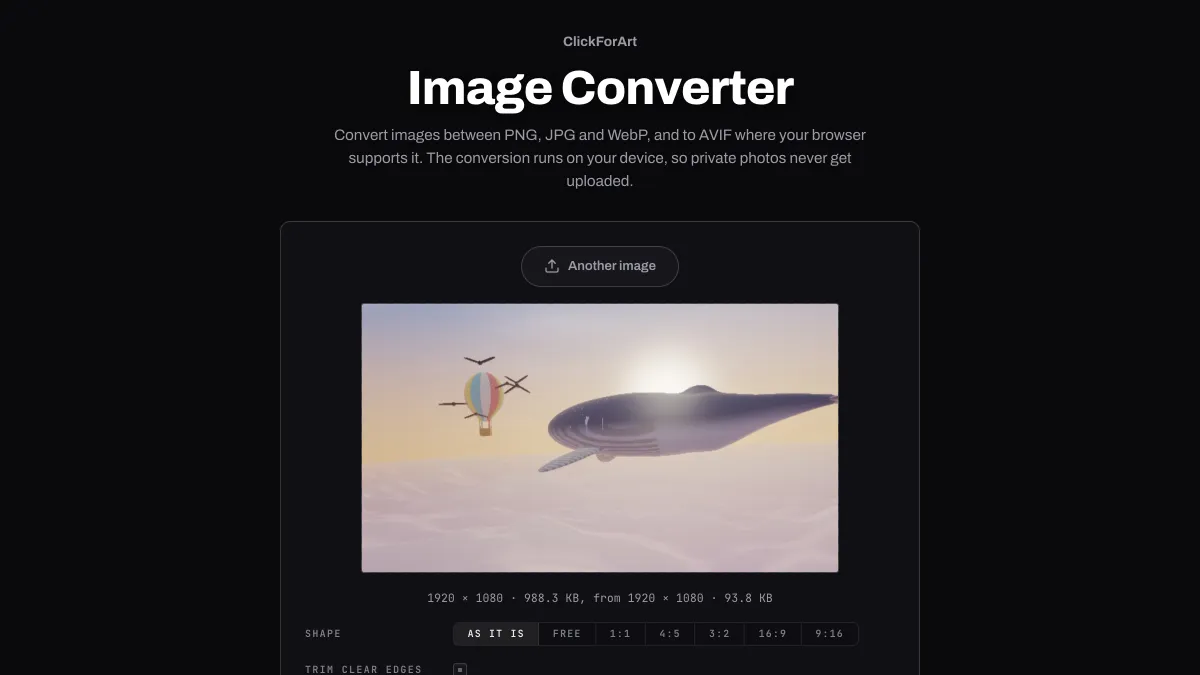
JPG, WebP and AVIF add a Quality slider that starts at 92. The line under the preview gives the new file size next to the original's, and Download saves the file under its old name with the new extension.
Settings for a website, a JPG-only upload form and a transparent logo
Photos for a website: WebP at Quality 80, or AVIF where it's offered, starting a bit lower. Each format's Quality belongs to its own encoder, so 80 in one isn't the same as 80 in another. Go by the file size in the readout and how the preview looks.
An upload form that only accepts JPG: pick JPG and leave Quality at 92. Any transparent areas turn white. A WebP photo gets bigger on the way, because JPG packs it less tightly; one of 181 KB came out at 394 KB.
A logo with a transparent background for the web: WebP keeps the transparency at a fraction of the PNG's size. Hold on to the PNG for print and editing, though, since every lossy save starts from a slightly worse copy.
Which format makes the smallest file at the same quality?
For photos, WebP. On a landscape photo at 2048 × 1152, measured with Chrome's own encoders, JPG at Quality 92 came to 449 KB. WebP at Quality 90 came to 314 KB with slightly less error against the original, so about 30 percent smaller. Google's tests put the gap at 25 to 34 percent.
For a screenshot of text, JPG doesn't help at all. A 1920 × 1080 screenshot of a web page was 392 KB as JPG at Quality 92, which is more than the 389 KB PNG. WebP at Quality 85 had less error than that JPG at 213 KB.
In Chrome, WebP at Quality 100 is lossless. Both pictures came back identical pixel for pixel: the photo at 2.38 MB against 4.21 MB as PNG, and the screenshot at 315 KB against 389 KB.
Does converting a JPG or WebP to PNG improve the quality?
No. PNG keeps whatever pixels it's given, so a converted JPG keeps its blocks and blur exactly. A JPG photo of 449 KB became a PNG of 3.21 MB with every pixel the same as the JPG. A WebP of 181 KB became 2.76 MB, again identical. That's about 7 and 16 times the bytes for no visible change.
Converting is still how you get a WebP into a program that can't read one. Load it, and since anything that isn't a PNG opens with PNG picked under Format, Download saves it straight away under the same name, ending in .png. Nothing's lost in that step, which makes it a good fit for a WebP you want to keep editing.
What happens to transparency when you convert PNG to JPG?
JPG has no alpha channel, so transparent areas have to become a solid color. This converter fills them with white. Left to itself, a browser canvas would make them black.
If you want to keep transparency in a smaller file, convert to WebP or AVIF instead. Width and Shape can resize or crop the picture in the same step, so it only gets encoded once.
Why does an animated GIF stop moving after converting?
The converter reads every file as a single still, so an animated GIF or WebP comes out as just its first frame. To make an animated GIF smaller and keep it moving, use GIF Compressor.