Image to SVG Converter
Convert an image to SVG: trace a logo, icon or flat drawing into vector shapes of 2 to 16 colors, curved or straight. Free, and it all runs in your browser.
What is image tracing?
Image tracing, also called vectorization, turns a raster image (a grid of pixels, like a PNG or JPG) into vector shapes. An SVG made of shapes scales to any size without blurring, and you can recolor or edit it path by path.
It works best on pictures with a few flat colors and clear edges, such as logos, icons, signatures, flat illustrations and pixel art. A photo with smooth gradients comes out as bands of flat color, which gives it a posterized look.
How does this converter vectorize a picture?
First it picks the picture's flat colors: the most common one, then each next one that's far enough from the ones already taken. That way a logo's inks come out as themselves, without getting averaged with the soft pixels along their edges. Those in-between edge pixels go to whichever side they're closer to in color.
Each color's outline is traced around its pixels and simplified with the Ramer-Douglas-Peucker algorithm. With smoothing on, it turns into cubic Bézier curves, and sharp corners stay sharp. The layers are stacked so each color's shape also covers the smaller colors drawn above it. That leaves no hairline gaps where two shapes meet.
How to convert a PNG or JPG to SVG
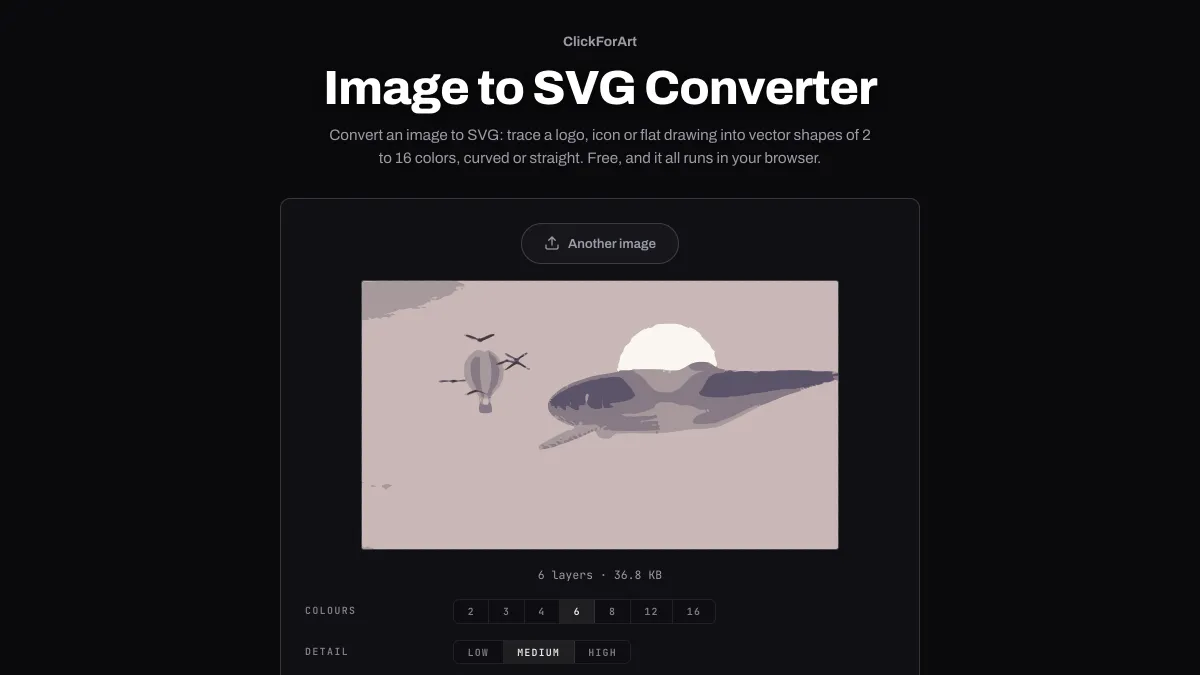
Colours sets how many colors the drawing keeps, from 2 to 16, starting at 6. Detail (Low, Medium or High) sets how closely the outlines follow the pixels.
Round the shapes is on by default and draws curves. Turn it off for straight lines from corner to corner. Transparent areas stay clear, and the line under the preview counts the layers and gives you the file size.
The picture is traced at 512 px on its long side, and the SVG opens at the original's width and height. Download saves it, or Copy code grabs the markup for pasting.
Settings for a logo, a signature and pixel art
A two-ink logo on white: Colours 3 (one for each ink and one for the background), Detail High and Round the shapes on. Crop it close with Crop Image first, so the logo fills the 512 px the tracer works at.
A signature photographed on white paper: Colours 2, Detail Medium and Round the shapes on. The paper becomes the first path in the file. Delete that path element in a text editor and the signature stands alone on a clear background.
Pixel art: Round the shapes off, Detail High, and as many Colours as the sprite uses, up to 16. Load it scaled up by a whole number to no more than 512 px, say a 64 px sprite at 8×. At its own size a single pixel is smaller than the smallest shape the tracer keeps, and a picture of 512 px or less gets traced without resampling.
Why does my traced logo have a white box behind it?
White counts as one of the colors. The most common color, usually the background, is traced as one shape under the whole picture, with the others stacked on top. Load a PNG with a transparent background instead, since pixels less than half opaque are left out. Or just delete the first path from the file.
Thin lines that vanish or break apart were thinner than a pixel at the tracing size. A 3 px line in a picture 2000 px wide is under one pixel once it's scaled to 512. Detail also drops specks, islands or holes smaller than 16 traced pixels at Low, 4 at Medium and 2 at High.
Saving a traced SVG
The SVG scales to any size from the original's width and height, so one file covers a small icon and a large banner. Its coordinates are written with one decimal, which leaves SVG Optimizer little to take out.
A traced photo is a poster of flat color. If you want a photo to keep looking like a photo, leave it as JPG or WebP.