Sticker Text Generator
Sticker text generator: turn a word into a row of letter stickers, each with a thick white edge, a candy color and a slight tilt. Free, and nothing is uploaded.
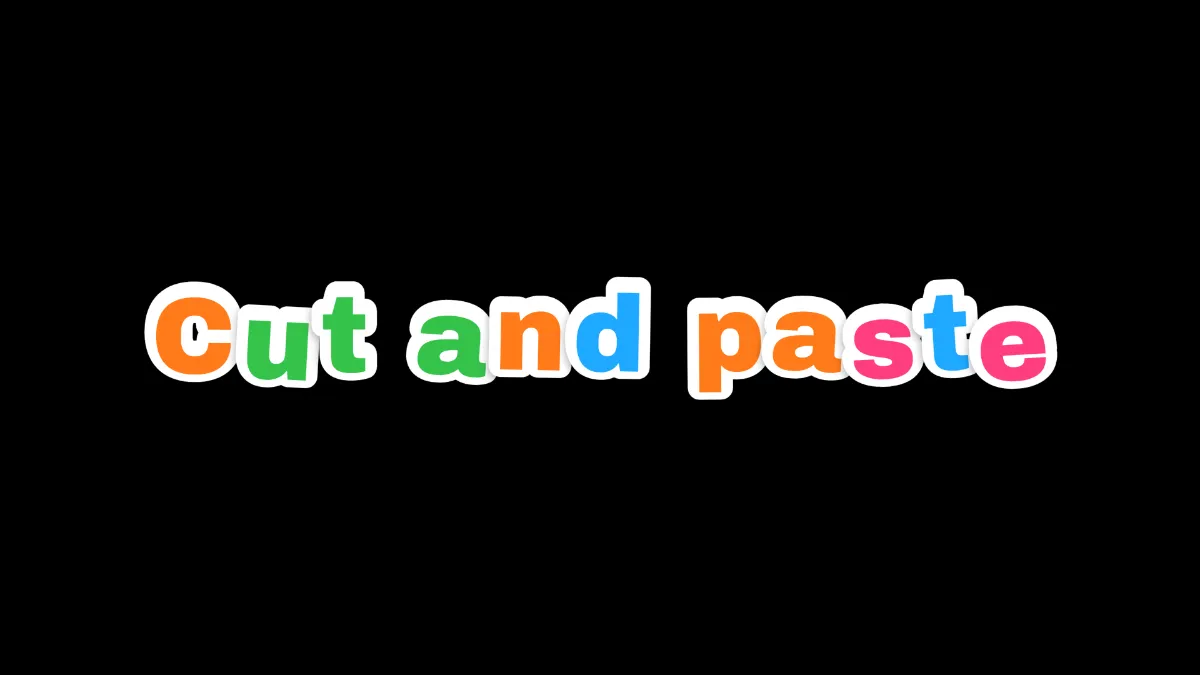
What is sticker text?
Sticker text turns each letter into its own die-cut sticker: a bold letter in a bright color with a white border round it, like it's been peeled off a sheet and pressed on at a slight angle. It's modeled on vinyl letter stickers, cut along their outline with a margin left round the print.
A sticker is a label of vinyl, plastic or paper with pressure-sensitive adhesive on the back, and die cutting is how its shape gets sheared out of the sheet.
How to make sticker letters
Start on the blank canvas, or load a photo you want to stick the letters on, and type the word in Text, 80 characters at most.
Colours holds the sticker colors, up to eight. It starts on the Candy set: pink, orange, yellow, blue and green. Every letter picks one at random.
Size is the letter height, Mess is how much the letters tilt and bob off the line, and Position X and Y place the row. Seed reshuffles the colors and tilts. Switch Style to Ransom note and the same letters turn into the paper scraps of Ransom Note Generator.
Settings for a one-color brand row, a party banner and a neat logo
Brand row: delete every color but one in Colours, which works with just one. All the letters then share your brand color and only the tilt changes.
Party banner: the Candy colors, Mess at 0.8, Size 0.2. The letters lean up to about 9 degrees either way and bob by up to an eighth of their height, so it looks stuck on by hand.
Neat logo: Mess at 0 lines the stickers up level on one baseline, packed close together. It reads more like a printed sign than a row someone stuck on.
Can you change the sticker font?
No. Every sticker uses Archivo at its heaviest weight, since those thick strokes leave room inside the white edge. If you want outlined letters in another face, Graffiti Text Generator draws a word in any font from the Font list with a white line round it, although as one piece and not letter by letter.
How is each letter sticker drawn?
Every letter gets a white stroke round it, about a fifth of its height wide with half of it hidden under the fill, and then it's filled in its color. A soft shadow sits under each one, so the row looks stuck onto the background, not printed on it.
Long phrases wrap to a new line before they hit 90% of the frame's width.
Saving sticker letters
Unless you load a picture first, the letters are drawn on black, so load the laptop lid or notebook photo before you start typing. Save as PNG to keep the white edges clean. JPG leaves a gray halo where the white meets a dark background.