Particle Text Generator
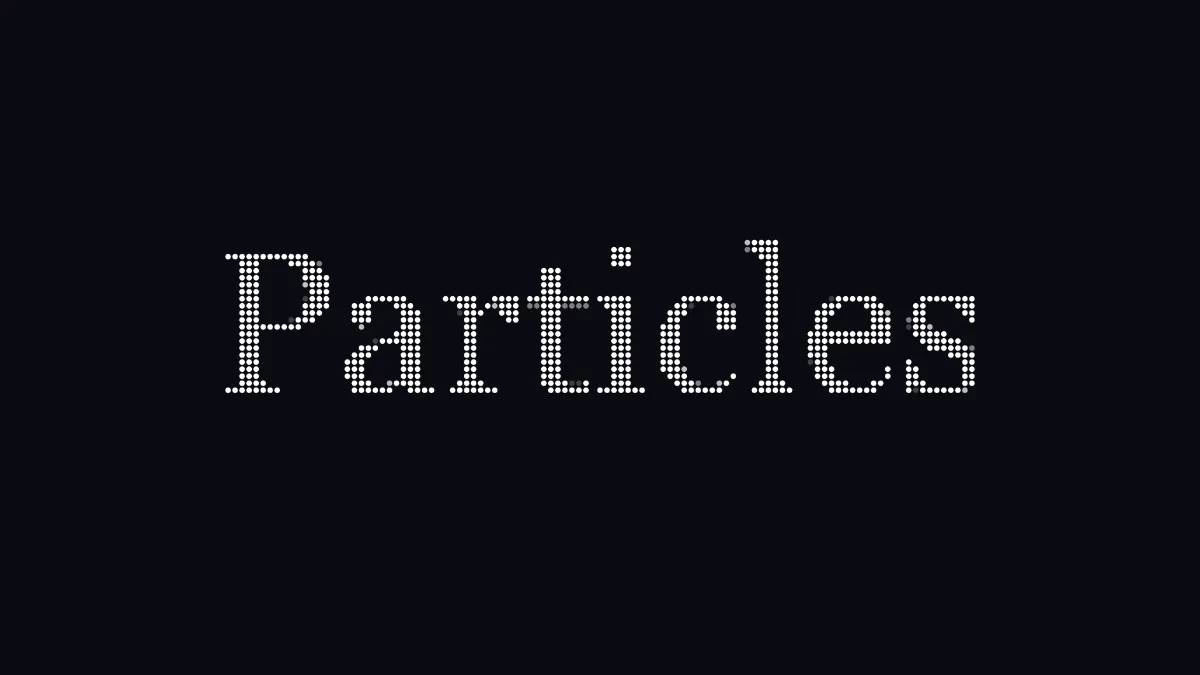
Particle text generator: your word forms out of drifting dots, holds, then scatters and gathers again on an eight-second loop. Export it as MP4, WebM or GIF.
What is particle text?
Particle text draws a word as a cloud of little dots that fly apart and come back together. The idea comes from the particle system, which William Reeves introduced for the Genesis effect in Star Trek II: The Wrath of Khan (1982) and wrote up in a 1983 paper.
In this tool each particle belongs to one cell of a grid over the frame and carries that cell's color. The dots sitting on the letters are what make up the word.
How to make particle text
You start on a blank canvas with the word Particles in big white Georgia. Type your word in the Caption's Text field and set its Size, Font and Colour. A .ttf or .otf font of your own works as well.
Under Particle Image, Rows sets how fine the grid is, from 12 to 120. Dot size is how big each dot gets and Scatter is how far they fly. Speed is the pace: at 1 a loop lasts eight seconds, and 0 keeps the word formed. The presets are Fine, Coarse, Burst, On paper and Still.
Leave out dark drops any cell darker than its value, so the black canvas makes no dots and the word stands on its own. Background is the color behind the particles, and Seed changes the way they fly apart.
Settings for a crisp logo reveal, chunky dots and a burst on the beat
Crisp reveal: Rows 120, Dot size 1, Scatter 0.4. The finest grid packs the most dots into each letter, full-size dots touch so the formed word looks solid, and a short scatter keeps the flight neat.
Chunky dots: Rows 30 and Dot size 0.75, with the word's Size up at 0.4. That leaves around eight rows of dots across a capital letter. Go much lower and the word stops reading.
Burst on the beat: Scatter 1.4 and Speed 2. That's a four-second loop, two bars of 4/4 at 120 beats a minute.
Why do my particles vanish on a light background?
Two settings are working against each other. Leave out dark sits at 0.12 here and drops every cell darker than that, so black or near-black letters don't get particles. Meanwhile the particles take the letters' own color, so white letters on the On paper background blend right into it.
For a light Background, make the word dark without going all the way to black. Navy #1d3557 works: it clears the 0.12 cut and stands out on the paper.
Does the particle animation loop cleanly?
Yes. Where a dot sits depends only on the time, its cell and the Seed, and the loop begins and ends with the word formed. It holds for about a third of the cycle, then scatters, drifts and gathers back up. The dots leave a little after one another, so the word breaks apart in a wave.
If you'd like a reveal that draws the letters in place of assembling them, Write-On Text Animation traces each outline with a pen. For particles over whole photos, see the Pixel Art & Mosaic Effects hub.
Saving particle text
Background fills the frame, so there's no transparent version. Thousands of small dots in flight are tough on video compression, and MP4 can smear them during the scatter. Turn Quality up in the record settings.
GIF handles it fine, because the frame holds little more than the Background and the word's own color.