Glitter Text Generator
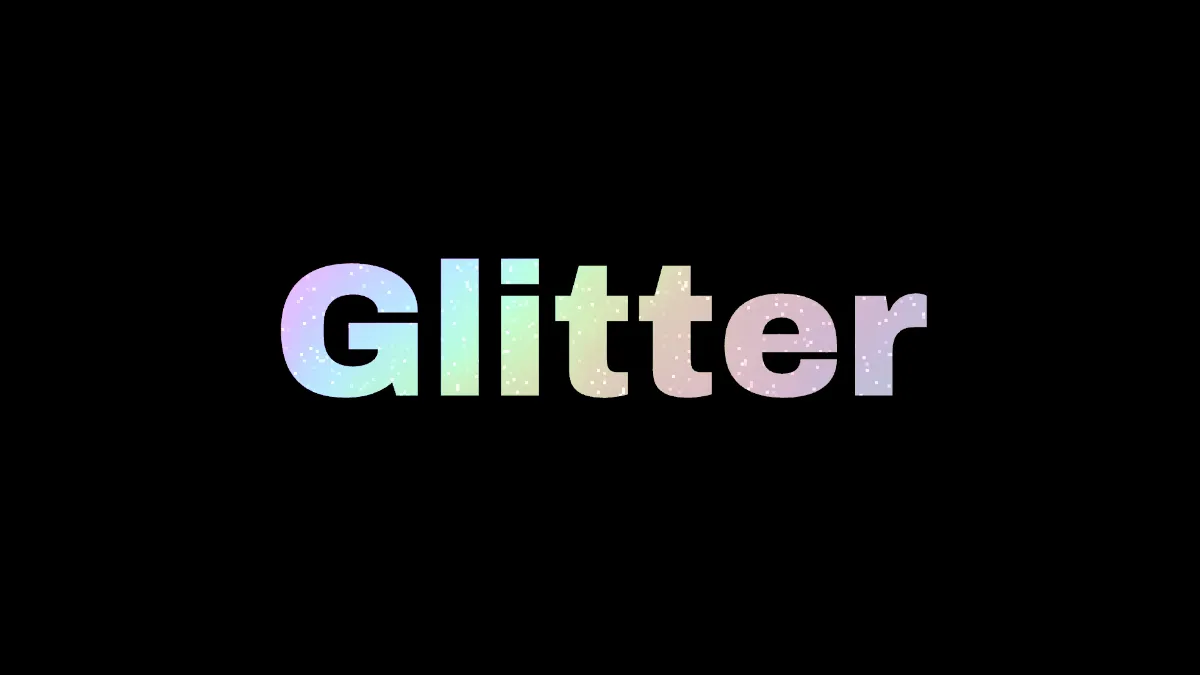
Glitter text generator: type a word and it fills with rainbow foil and glints that flash as the bands slide. Save a sparkling GIF or MP4, or a PNG, free.
What is glitter text?
Glitter text is lettering that sparkles, as if someone dusted it with craft glitter. Glitter is tiny flat flakes, usually coated plastic, and every flake works as a little mirror. Only the flakes tipped at the right angle between the light and your eye flash at a given moment, which is why the sparkle hops from flake to flake when you or the light move.
Animated glitter text GIFs were all over personal web pages and social profiles in the 2000s.
How the sparkle is made
Two effects are chained on this page. Kinetic Type draws your word on the black canvas, and then Holo Foil lays foil over it. You get rainbow bands bent by the picture's light and dark, plus glints: cells 5 pixels across on a 1080p frame, each flashing for part of a cycle as the bands slide by.
Holo Foil adds light, and it adds the most where the picture is dark, so pure white letters have no room left to take any. That's why the letters start in a light gray. Under Holo Foil, Mix has Mask set to Brightness, which keeps the foil on the letters and the black round them clean. Chrome Text Generator masks its metal the same way.
How to use the glitter text maker
Type your word in Text, up to 80 characters, and set Font, Weight and Size. Heavy letters hold more glitter. Any face in the Font list works, and so does your own .ttf or .otf, which makes this a glitter fonts generator too. Colour is the letter color under the foil, and mid to light colors show it off best.
The Glitter preset puts Glitter at 1 for the most glints, Bands at 1.5 and Amount at 0.5. Amount is how strongly the foil shows. Bands is how often the rainbow repeats, Angle is which way it lies, and Warp is how much the letters bend it. Holo, Subtle, Prism and Oil slick have fewer glints, or none, and more rainbow.
Settings for gold sparkle, pastel holo and prism stripes
Gold sparkle: Colour #c9a24a under the Glitter preset, with Bands at 0.5 and Warp at 0. The rainbow stretches to half a repeat across the frame, so the word shows only one or two hues at a time and the glints carry most of the effect.
Pastel holo: Colour #e6d6f0 with the Holo preset (Amount 0.7, Bands 2.5, Glitter 0.4). Light letters don't have much headroom, so the foil only lifts them a little and the rainbow comes out soft, like the pearly film on a holographic sticker.
Prism stripes: the Prism preset (Bands 6, Angle 90, Glitter 0) lays sharp rainbow stripes straight across the letters and rolls them through, with no sparkle at all.
How do I make a glitter GIF loop without a jump?
The rainbow repeats every 4 seconds of foil time and the sheen every 8, and foil time runs at Speed. So at Speed 2 a four-second recording covers one full sheen cycle and two rainbow cycles, and the bands line up with themselves exactly at the loop point.
The glints run on a cycle of their own and won't be in the same place at the cut. They're flashing on and off anyway, though, so the change just looks like more sparkle. Seed scatters the glints again, and a given Seed sparkles the same way in every export.
Saving sparkle text
A still only catches one moment of the glints, so for sparkle you'll want a GIF, MP4 or WebM. A GIF palette of 256 colors per frame is plenty for a word in a few hues. With Prism's six bands, or over a photo, tick Dither under GIF so the rainbow doesn't break into steps.
Over in the Mockup Generator hub, the same foil goes on die-cut stickers.