Neon Outline Effect
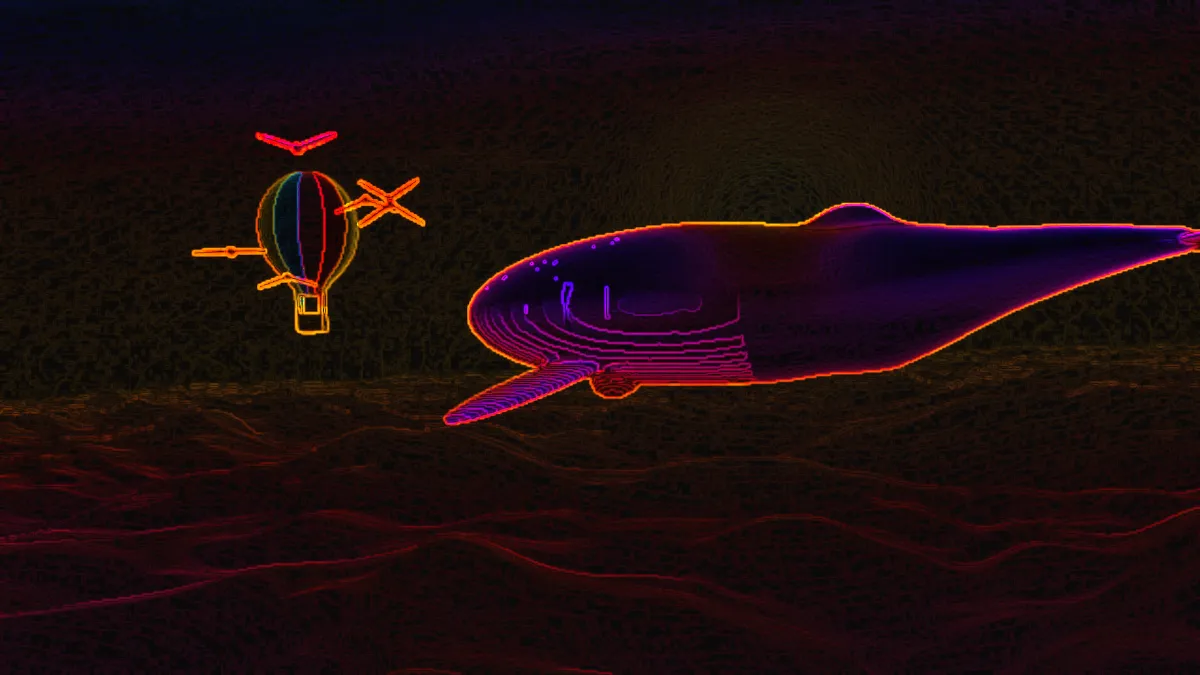
Trace the edges of a photo or video as a neon outline: glowing tubes in the picture's own colors on a dark background. Export it as a GIF or MP4, free.
What is a neon outline effect?
A neon sign is a glass tube filled with rarefied gas that glows when a voltage runs through it. Georges Claude showed the modern version at the Paris Motor Show in December 1910. Pure neon gives a reddish-orange light, and other colors need other gases.
A neon outline effect traces a photo's edges and draws them as glowing lines on black. It looks like a sign bent from the picture's own shapes.
How the outlines get their color
The edges come from a Sobel operator run on a slightly blurred copy of the brightness, which stops fine noise from turning into sparkle. Each edge takes the hue of the pixel under it at full saturation and brightness. A red jacket gives you a red tube, a blue sky a blue one.
The glow around each line is averaged from nearby hues, so it spreads in the same color. Areas with no edges fade to almost black.
How to make a neon outline from a photo
Strength is how bright the edges glow, and higher values light up the fainter edges as well. Glow is how far the light spreads around each line.
Background decides how much of the original picture stays behind the neon. It starts at 0.05, so you can barely see the photo.
There are three presets. Soft glow gives wide, gentle light, Over image keeps the photo showing behind the lines, and Hot makes bright, tight edges.
Settings for a synthwave poster, a dance video, a sign in a window and floating 3D lines
For a synthwave poster, use Strength 2, Glow 1.5, Background 0. The extra Strength lights the fainter edges of hair and clothes, and a wide glow gives the halo of tubes in haze. For a dance or sports video, try Strength 3, Glow 0.8, Background 0.1. Moving bodies blur their own edges, so they need more Strength to stay lit, and a trace of background keeps the room visible.
For a sign in a window, use Over image with Strength 1.2 and Glow 0.6, which keeps the photo at 40 percent behind thin lines. For floating 3D lines, save a PNG with Background at 0 and load it into Anaglyph 3D Effect with Depth source Luminance. Through red-cyan glasses, the bright tubes and the black ground split apart.
Photo to Pencil Sketch finds the same kind of edges but draws them dark on paper. If you want bloom that spreads further than Glow can manage, the Blur, Light & Glow Effects hub has the glow tools.
Why are the neon lines red on a black and white photo?
Each tube takes the hue of the pixel under it, and gray has no hue. Black, white and every gray in between come out as hue 0, which is red. That's why a black-and-white photo, a white wall or a gray suit all glow red. A near-gray gets its faint tint pushed to full strength, too, so a warm white turns orange.
Edges are found from brightness alone as well, so two colors of equal brightness can meet with no line between them. Raise Strength to catch weaker edges, or tint the photo first so its parts differ in hue as well as brightness.
Which format keeps thin neon lines bright?
JPG, MP4 and WebM usually store color at half the resolution of brightness. A one-pixel red or blue line on black loses saturation and picks up a dull fringe as a result. PNG keeps every line exactly, and for a clip you'll want a higher Quality setting.
A neon frame is mostly black with only a few hues, which a GIF palette handles easily. So a neon GIF stays small and sharp.