Swirl Effect
Swirl effect for photos and video: twist the middle of the picture into a whirlpool, up to two full turns, over a radius you choose. Free, nothing uploaded.
What is a swirl effect?
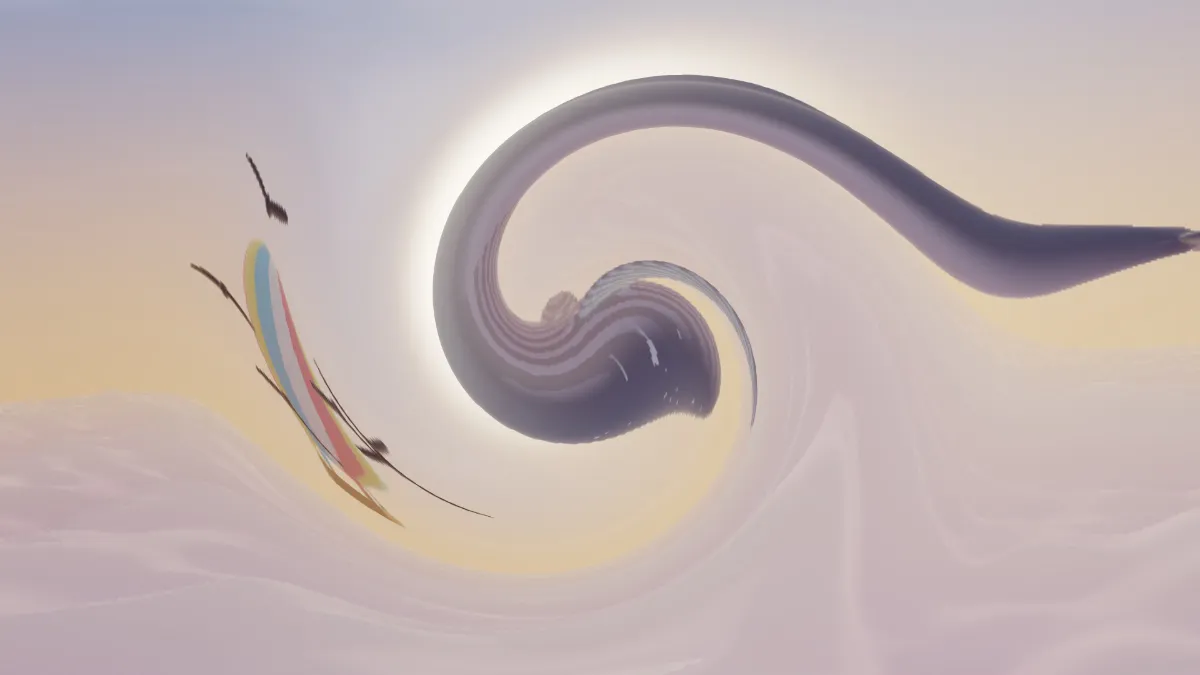
A swirl, also called a twirl effect, turns the middle of a picture around its center while the edges stay put, like water draining out of a basin. Every pixel keeps its color and moves along a circle.
Image editors have offered it under both names for a long time. It's one of the warps, along with liquify and bulge, which move pixels around without changing their colors.
How to swirl an image
Angle sets how far the center turns, up to 720 degrees, or two full turns. Radius sets how much of the frame twists, as a share of its height; at 0.5 the whirl reaches the top and bottom edges.
While it plays, the twist rocks back and forth by up to 60 degrees around your Angle, and Speed sets how fast. A Speed of 0 holds it still. The presets are Swirl, Gentle at 60 degrees, Vortex at 600 degrees over a wider radius, and Spinning, which rocks four times as fast as the default.
Settings for a hypnotic spiral, a galaxy and a woozy sway
Hypnotic spiral: Angle 360 and Radius 0.5, on a picture with strong stripes or text. One full turn bends straight lines into a clean spiral.
Galaxy or draining water: Vortex, at Angle 600 and Radius 1.2, with Speed 0 so the arms keep their shape.
Woozy sway: Gentle at 60 degrees with Speed 2. The picture rocks around its center about every four seconds, like a dizzy point of view.
How is the swirl worked out?
Each pixel is measured by its distance from the center of the frame and turned around it by an angle that depends on that distance. It's the full Angle at the center, falling smoothly to nothing at the edge of Radius. Past Radius, nothing moves.
Since neighboring pixels turn by almost the same amount, the picture bends into smooth spirals. Distance is measured in frame heights, so the whirl stays round on a wide frame. If you want a twirl placed anywhere in the frame, Liquify Image has a Twirl brush.
Can a swirl be undone?
Often, yes. A swirl moves pixels without throwing any away, so turning them back by the same angle brings back most of the picture. In 2007, German police specialists did exactly that to photos in which a man had hidden his face behind a swirl, and the face Interpol published led to his arrest within two weeks.
So don't count on a swirl to hide a face or a name.
Saving a swirl as a looping GIF
One rock back and forth takes about 7.85 seconds divided by Speed, so at the default 0.5 it lasts almost 16 seconds, which is longer than most GIFs. Raise Speed to 1.6 for a rock of about 4.9 seconds, export 5 seconds and set Seamless loop to ¼ s to close the small gap.