Embroidery Effect
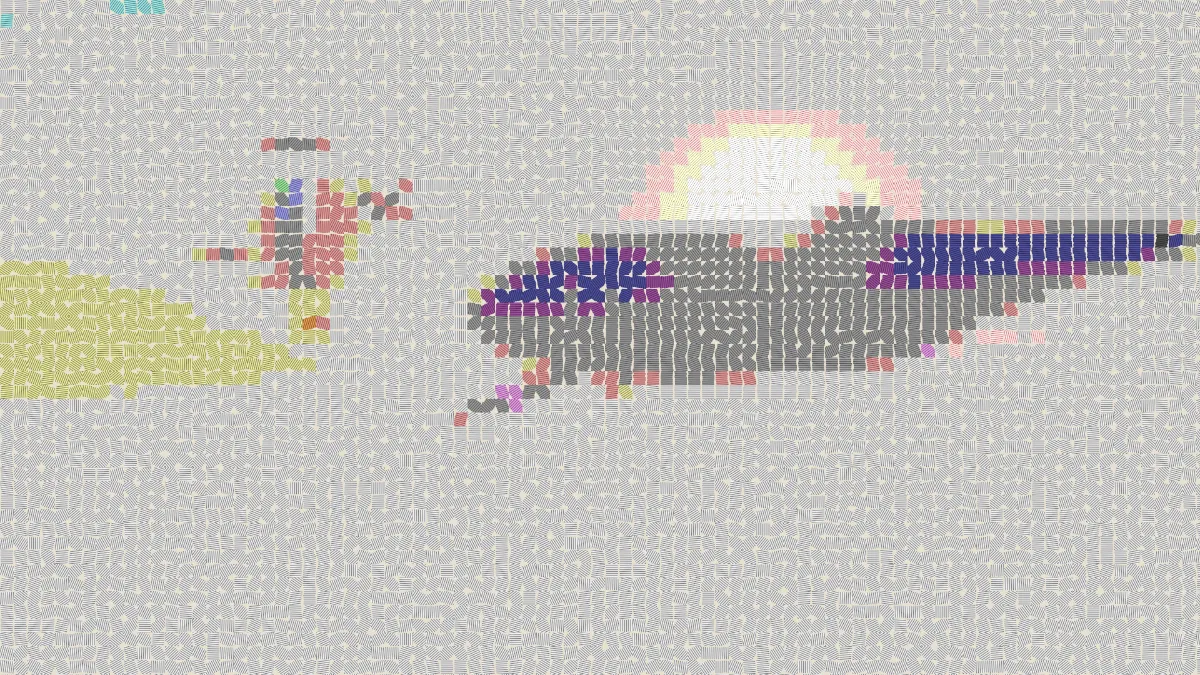
Embroidery effect for images and video: satin stitches in patches that follow the picture's edges, with a silky sheen and cloth between rows. Free, no upload.
What is satin stitch embroidery?
Embroidery decorates fabric with a needle and thread. Satin stitch is one of the basic stitches: flat stitches laid side by side until they cover an area completely, and those parallel threads catch the light the way satin does.
Machine embroidery uses satin stitch for lettering and for narrow, dense shapes on logos, uniforms and patches. That's the look this effect is going for.
How to make an embroidered look from a photo
Load an image or video. Patch size sets how big each stitched area is, and Threads sets how many stitches run across it. Colours is the number of thread shades per color channel, so the palette is that number cubed: 2 gives 8 threads, 4 gives 64, and the default 5 gives 125.
Sheen is the silky highlight, Gaps controls how much fabric shows between rows, and Cloth is the fabric color. Seed changes which way the stitches run in flat areas and keeps them the same in every export.
The presets are Satin, Patch, Fine work, Matte wool and Denim. Cross Stitch Effect is the counted version, with one X per square of aida.
Settings for an iron-on patch, a denim jacket back and fine silk work
Iron-on patch: start with Patch (Patch size 40, Threads 10, Colours 4) and then drop Colours to 3. With twenty-seven thread shades, a photo flattens into the handful of solid areas a badge has.
Denim jacket back: Denim gives you a blue Cloth and Gaps 0.12, so a bit of blue peeks through between the rows.
Fine silk work: use Fine work (Patch size 10, Threads 5, Colours 7) and raise Sheen to 0.8 for the gloss of filament silk. For wool, Matte wool drops Sheen to 0.1 and widens the Gaps, which gives you the dull texture of crewel yarn.
How does the embroidery effect lay its stitches?
The picture is split into square patches, each in one averaged color. Inside a patch, the stitches turn to run along the nearest edge, the same way an embroiderer follows the outline of a shape. Flat areas without an edge get their direction from the seed, so they don't all point one way.
Every thread is shaded round with a highlight along its crest, and you can see the cloth between the rows.
Why do the stitches in a plain sky point every which way?
A stitch only follows an edge where its patch differs in brightness from the patches around it. A clear sky or a plain wall doesn't have that, so every patch there gets its direction from the Seed.
Try a few Seeds until the flat areas settle down. You can also raise Patch size so each patch covers enough of a gentle gradient to find a direction.
Saving an embroidery picture
Cloth fills the frame, transparent parts included, so you'll never get a clear background in the saved picture. To see the design on a garment, take the PNG to the Mockup Generator hub, which has T-shirt and tote bag mockups.
It doesn't produce a DST or PES stitch file. An embroidery machine needs one of those, made in digitizing software.