Analogous Colors
Analogous colors are hues that sit side by side on the color wheel, like orange, coral and gold. Why they feel calm, and why they still need a light and a dark.
What are analogous colors?
Analogous colors are hues that sit next to each other on the color wheel, such as yellow, yellow-orange and orange. A palette built from them usually takes three to five neighbors and stays inside about a quarter of the circle.
Because the hues are related, they blend into each other without friction. That makes an analogous scheme feel settled and warm or cool as a whole, where a complementary pair feels like two things arguing.
Where do you see analogous colors in the wild?
Look at a sunset or a maple in October. Natural light shifts hue gradually across a scene, so a single view often holds one slice of the wheel: reds into oranges into golds, or greens into teals into blues. Painters copy that when they want a scene to feel unified.
At the Bauhaus, Paul Klee's design class set exactly this problem. A watercolor exercise by the weaving student Margarete Willers, shown in the Getty Research Institute's Bauhaus exhibition, balances overlapping circles and triangles in red-orange, yellow-orange and red-violet, with the weight of each hue doing the work that contrast would do elsewhere.
Why can an analogous palette look flat?
Neighboring hues often land at similar lightness, and lightness is what the eye uses to separate shapes. Put a red-orange heading on an orange panel and it may be pleasant to look at but hard to read. The fix is to let one color go much lighter or darker than the others, so the scheme has a clear light, middle and dark.
The wheel you pick changes the result as well. In HSL, the hue angle bunches up: the stretch from about 90 to 150 degrees is nearly all green, while 30 degrees starting at red jumps all the way to orange. Twenty degrees either side of a green gives you three greens, and twenty degrees either side of a red gives you rose, red and red-orange. A perceptual space like OKLCH spaces hue more evenly, so the same angle looks like roughly the same step anywhere on the circle.
How to build an analogous palette
Open Color Wheel, pick Analogous under Rule and drag the handle to your starting hue. The wheel works in OKLCH and picks the hues 20 and 40 degrees to each side, so five swatches cover an 80 degree slice. The outer two are nudged lighter and darker, which gives the set some of the value range it needs. Lower Lightness for a dusky set, or pull the handle toward the middle for muted versions of the same hues.
Color Combinations turns the rule into a ready layout. With the base #d2691e, a cinnamon orange, the Analogous card puts a coral #d8604e behind the text, shows a mustard #c47600 as an accent next to your color and writes the label in a near-black #100400 at 5.49:1. That passes WCAG AA for body text, and it's the near-black doing the work, since the three hues on their own are almost equally light.
Analogous or monochromatic?
A monochromatic palette keeps a single hue and only changes how light or vivid it is. An analogous palette moves the hue itself. If every swatch in your set would still be called the same color name, you have a monochrome scheme; once one of them reads as a different color, it's analogous.
Try it
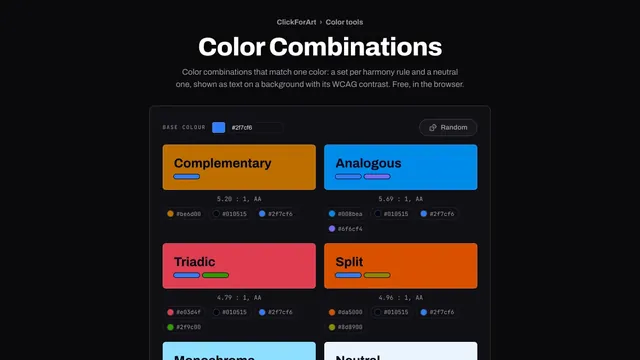
Color Combinations
Color combinations that match one color: a set per harmony rule and a neutral one, shown as text on a background with its WCAG contrast. Free, in the browser.
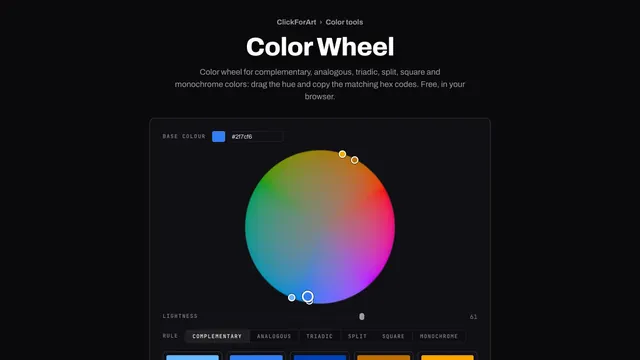
Color Wheel
Color wheel for complementary, analogous, triadic, split, square and monochrome colors: drag the hue and copy the matching hex codes. Free, in your browser.