Image Carousel Maker
Image carousel animation: copies of one picture or video slide past in a 3D row, the middle card nearest, on a loop with no jump. Exports as MP4, WebM or GIF.
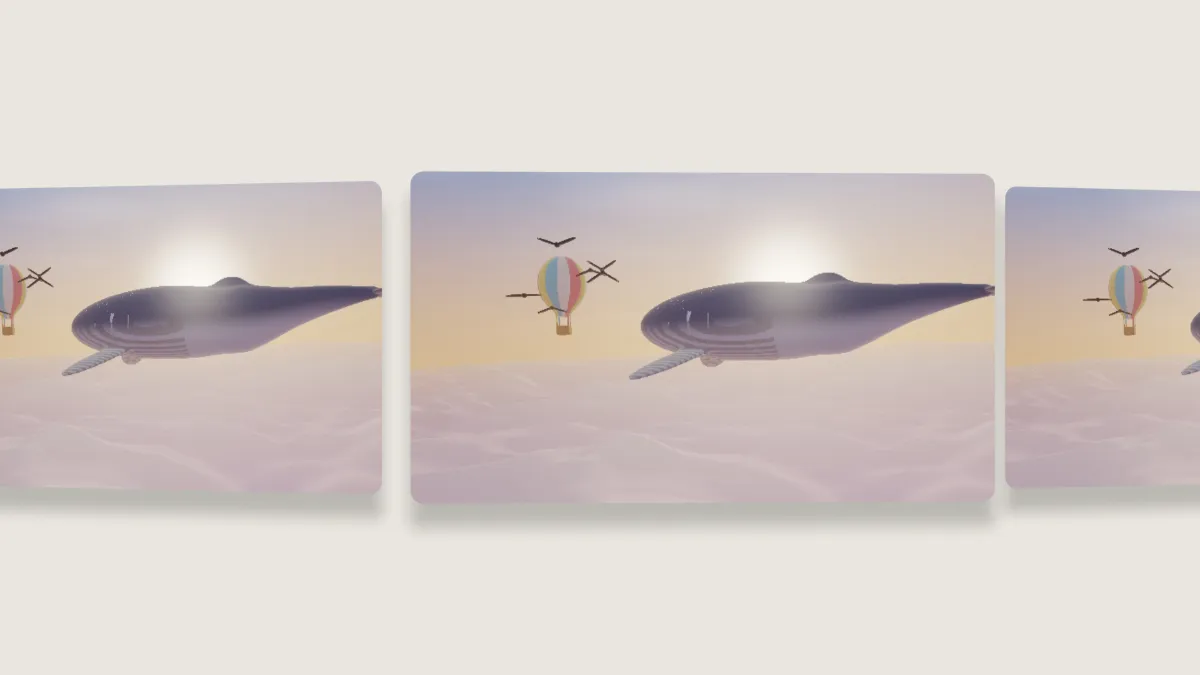
What is an image carousel animation?
An image carousel shows a row of cards sliding past, one centered at a time, with the side cards turned away. It's the motion of web sliders and of Cover Flow, the tilted 3D album browser from the mid-2000s.
Every card shows the same image or video. So this carousel presents one product shot, poster or clip from several angles at once, and it isn't a gallery of different pictures.
How to make an image carousel
The page opens on the Carousel preset: five cards, each half the frame's height, on a warm off-white backdrop.
Cards sets how many copies are in the row, from two to seven, and Spacing the distance between them in card widths; below 1 they overlap. Tilt sets how far the side cards turn away. The Cover flow preset overlaps the cards and turns them 32 degrees.
Speed sets the pace, Corners rounds the cards, and Depth of field blurs the ones farther back. Shadow, Shine and Backdrop finish it off.
Settings for a product post, a Cover Flow homage and a slow background
Product post: Carousel with five Cards, Speed 1.2 for a five-second loop, Shadow 0.6 and Depth of field 0.4. The side cards soften and the eye stays on the middle one.
Cover Flow homage for album art: the Cover flow preset, at Spacing 0.6 and Tilt 32, on a black Backdrop with Shine 0.3. Square art works best, since every card takes the shape of the picture.
Slow ambient background: seven Cards at Speed 0.5, which is a twelve-second loop, with Depth of field 0.6 and Shadow 0.3.
How does the carousel loop without a jump?
Each card's place depends only on the time, and after one loop every card has moved exactly one place along. The cards at each end fade out as they leave and fade in as they arrive, so the row never pops.
Side cards sit farther from the camera the farther they are from the middle. They're drawn outermost first, the painter's algorithm, so the middle card always ends up on top.
Can each card show a different picture?
No. Every card is the same image or video, and the row always slides to the right. For up to three different screens moving together, Animated Device Mockup takes a Second screen and a Third screen in its Device Mockup controls.
Card Stack Animation uses the same controls and piles the same cards up toward the camera.
Saving a carousel
The warm off-white backdrop and soft shadows are gentle gradients that a GIF keeps with Dither ticked, at up to 960 px. For a website hero, WebM is smaller than MP4 at the same quality, and browsers play it.
Tick No backdrop and pick WebM with transparency to put the row over a page's own background.