Card Stack Animation
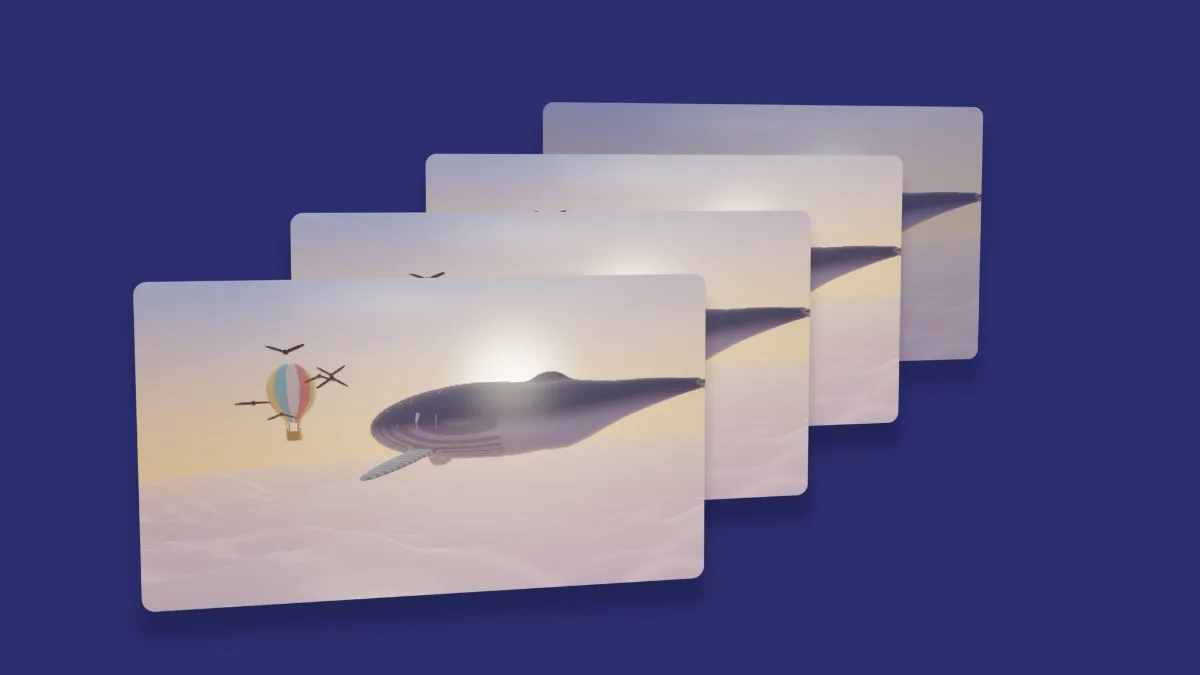
Card stack animation: copies of your image or video pile up in 3D and cycle, the back card fading out as a new one arrives in front. Loops as GIF, MP4 or WebM.
What is a card stack animation?
A card stack animation shows a pile of cards receding in depth, cycling so the pile keeps refilling. It works like a queue. A card enters at the front, steps back one place each loop and leaves at the back: first in, first out.
Each card is a copy of your image or video, set in perspective and turned by the same angle. The cards are drawn back to front, the painter's algorithm, so nearer ones always cover the ones behind them.
How to make a card stack animation
The page opens on the Stack preset: four cards, each half the frame tall, close together on a deep indigo backdrop.
Cards sets how many are in the pile, from two to seven, and Spacing how far apart they sit, in card widths. The preset's 0.22 keeps them tightly overlapped. Tilt sets how far every card turns from flat.
Speed sets how often the pile cycles. Depth of field blurs the cards toward the back, and Shadow, Corners and Thickness shape each card. The same controls drive Image Carousel Maker, which lines the cards up in a row that slides sideways.
Settings for a deck of photos, a feed of posts and a notification pile
Deck of photos: five Cards, Spacing 0.3, Tilt 18, Corners 0.06 and Shadow 0.7, so each card casts a clear shadow on the one behind.
Feed of posts: Tilt 0 and Spacing 0.15. The cards face the camera and step back up and to the right, like a pile of screenshots.
Notification pile: Corners 0.12, Size 0.35 and Depth of field 0.5 on a light Backdrop. The cards waiting behind blur as the front one arrives.
Does the card stack loop without a jump?
Yes. After one loop every card has moved one place back, which looks exactly like the start. The front and back cards fade along smoothstep curves, so none of them pop in all at once.
How do I make the stack cycle faster without a jump?
Every card steps back one place in six seconds divided by Speed. Speed 2 gives a snappy three-second cycle that closes on an export of 3, 6 or 30 seconds, and Speed 1.5 gives a four-second one that closes on 4, 8 or 12.
Speed goes as high as 3, which cycles the pile every two seconds.
Saving a stack
The indigo backdrop is one flat color, which a GIF stores without banding, and the shadows are the only gradients in the frame. MP4 is the one for a social post. WebM with transparency, with No backdrop ticked, lays the pile over a web page or another clip.