Aliasing
Aliasing is the jagged edges, moiré and backward wheels you get when an image samples detail too coarsely. The math behind it and how anti-aliasing fixes it.
What is aliasing?
Aliasing is the error you get when a picture records detail finer than its pixel grid can hold, and that detail comes out as a different, coarser pattern. In images it shows up as stair steps on diagonal edges, moiré ripples on fabric and screens, and thin lines that break into dashes.
The name comes from signal processing. A frequency too high for the sampling rate doesn't disappear. It takes on the identity of a lower frequency, an alias, and the samples alone can't tell the two apart. In 1977 Franklin Crow, working from research at the University of Utah, traced the jaggies of computer graphics, along with crawling edges and small objects that blink in and out during animation, to this one cause.
Why does a sampled picture get fine detail wrong?
The rule behind it is the Nyquist limit: to capture a repeating pattern you need more than two samples per cycle. A row of 1,000 pixels can hold at most 500 pairs of light and dark stripes. Show it 600 pairs and the samples trace out 400 pairs instead, a wider stripe that was never in the scene.
Time gets sampled as well. Film runs at 24 frames per second, so a wheel whose spokes pass a fixed point 23 times a second seems to roll slowly backward. That's the wagon-wheel effect from old westerns, and it follows the same arithmetic as moiré, with time in place of space.
Alvy Ray Smith, who co-founded Pixar, wrote a 1995 Microsoft memo titled A Pixel Is Not A Little Square. His point was that a pixel is a point sample of a continuous image. Treat it as a tiny tile of color and you forget to filter, and filtering is the whole cure.
How anti-aliasing works
Every fix comes down to blurring the image just before it's sampled, or taking extra samples and averaging them, which amounts to the same thing. Supersampling renders at several times the final resolution and scales down. The multisample anti-aliasing (MSAA) in graphics cards only adds samples along the edges of shapes, where jaggies appear. FXAA, which Timothy Lottes wrote at NVIDIA in 2011, takes no extra samples at all: it hunts for high-contrast edges in the finished frame and smooths them, which is fast but softens small text too.
Cameras handle it with glass. Most sensors used to sit behind an optical low-pass filter that spreads each point of light over a few neighboring pixels, so a fine weave can't turn into colored moiré. When Nikon sold the D800E in 2012 with that filter's effect canceled, the selling point was crisper landscapes and the warning was moiré on fabric.
Where you see aliasing in the wild
A presenter's narrow-striped shirt that shimmers on TV is aliasing. So is the curved banding you get when you photograph a computer screen, because the camera's sensor grid and the screen's pixel grid beat against each other. Game players know it as distant fences and power lines that crawl when the camera moves.
Some styles depend on it. Pixel art is drawn to be scaled with nearest-neighbor sampling, one source pixel copied into a block, and its hard edges survive only because nothing averages them. Run the same sprite through smooth scaling and it goes soft.
Shrinking and pixelating without stair steps
Most people meet aliasing when they shrink a photo. Resize Image draws through the browser canvas with smoothing set to high, which averages the source pixels under each new one, so a 4,000-pixel photo cut to 800 keeps its diagonals clean.
Pixelate Image puts the choice in a single control. Colour from on Centre reads one point per block, so on moving video a block can jump to a new color whenever a bright detail slides under its middle. Average reads many points across the block and blends them, a small supersample, and the blocks change gradually from frame to frame.
Try it
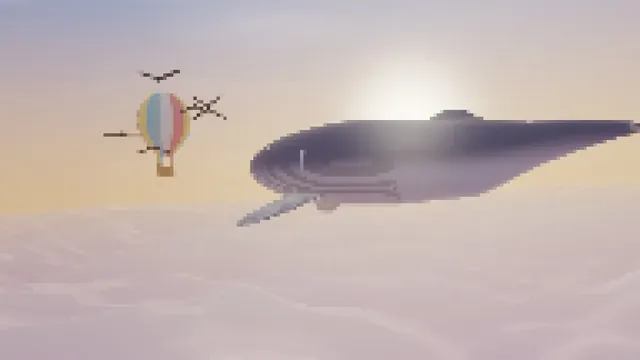
Pixelate Image
Pixelate an image or video into square blocks, fine to huge, across the whole frame or only inside a box or ellipse you place. Free, and nothing is uploaded.
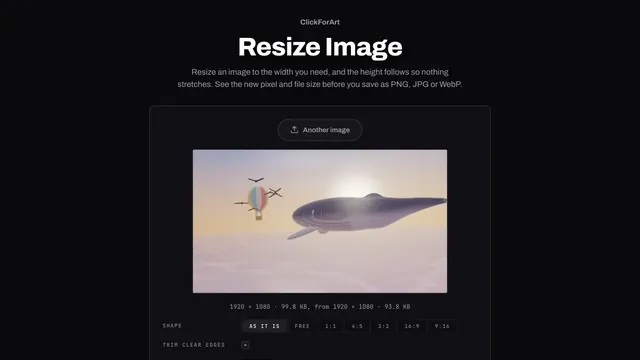
Resize Image
Resize an image online by width, and the height follows so nothing stretches. See the new pixel and file size, then save as PNG, JPG or WebP. Free, no upload.